
Changing the toner in a Brother printer is one of those essential tasks every office or home user eventually faces. Whether you’re running a Brother HL series printer in your home office or a Brother MFC multifunction machine at work, replacing toner correctly ensures smooth performance, professional print quality, and longer printer life.
In this updated guide for 2026, we’ll not only show you the step-by-step process for replacing Brother toner but also share insider tips on finding the cheapest toner in Australia—with Jazico.com.au as your go-to local supplier.
Step 1: Prepare Your Printer
Before you start, make sure your Brother printer is powered on and has completed any pending jobs. Open the front cover (usually at the front panel, depending on the model).
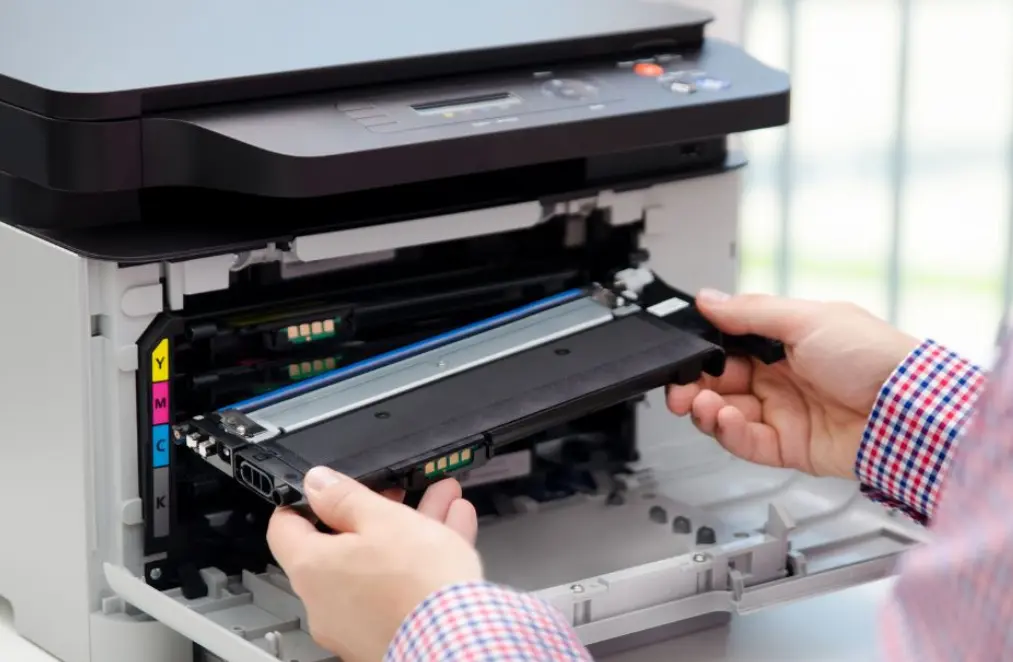
Step 2: Remove the Drum and Toner Assembly
Pull out the drum and toner cartridge assembly gently. Place it on a clean sheet of paper or disposable cloth to avoid toner stains.
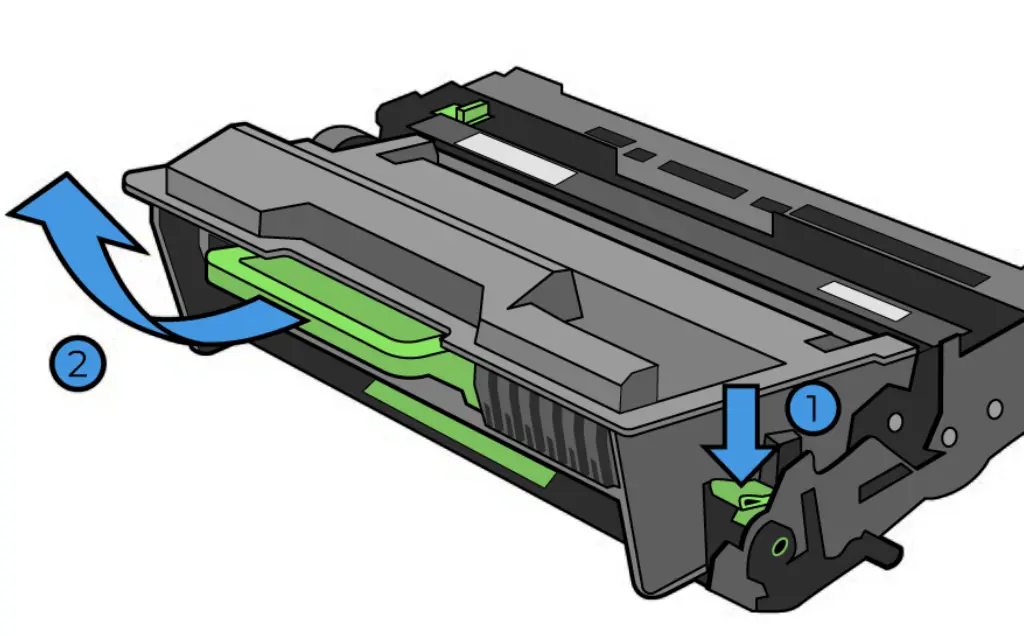
Step 3: Separate the Toner Cartridge from the Drum Unit
Press down the green lock lever to release the toner cartridge from the drum. While it’s out, you can lightly clean away any toner dust with a lint-free cloth.
Step 4: Prepare the New Toner Cartridge
Unpack the new toner. Shake it gently side to side 4–5 times to distribute toner powder evenly inside—this ensures crisp print quality from the very first page.
Step 5: Install the New Toner Cartridge
Slide the new toner firmly into the drum until it clicks into place. If it doesn’t click, remove and reinsert to make sure it’s properly seated.
Step 6: Clean the Corona Wire
A commonly skipped but important step: slide the green corona cleaning tab on the drum unit left and right several times, then return it to the home position. This prevents streaks and ensures better print quality.
Step 7: Reinstall the Assembly and Close the Cover
Put the drum + toner assembly back into the printer. Close the cover and let the printer initialise. You may see an on-screen message confirming toner replacement.
Step 8: Print a Test Page
Print a test page to make sure the new cartridge is functioning correctly. Check text sharpness and image clarity.
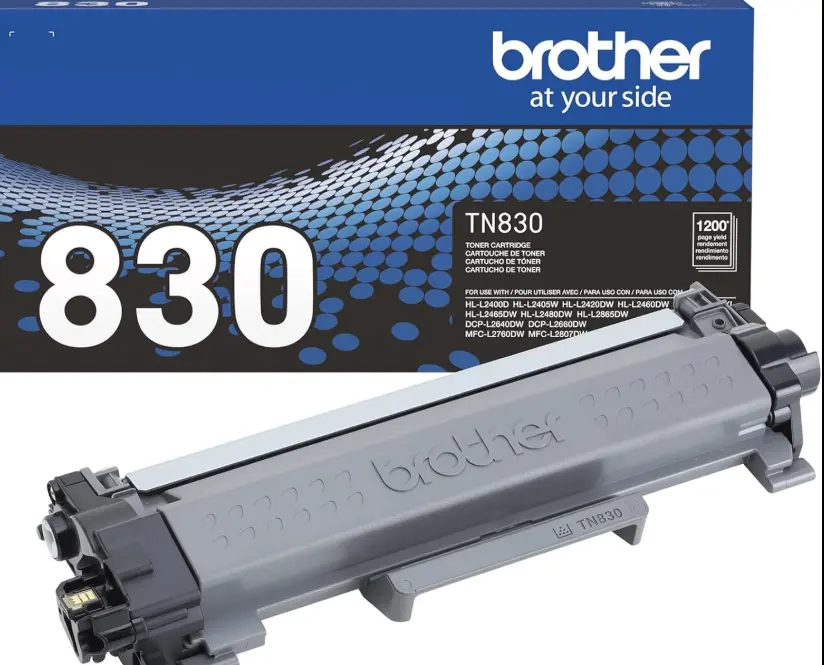
Note: Different Printer models and toners often vary from the above. Read the instructions carefully. Most issues arise because people don't realise there is a drum unit and a toner that often sits inside the drum unit. When they unpack the toner, they think it is smaller and therefore wrong, once they realise that the part they removed from their printer also contains a drum unit, everything works perfectly.
Tips to Extend Toner Life
- Use your printer regularly to avoid toner clumping.
- Store spare cartridges in a cool, dry place.
- Enable Toner Save Mode for draft prints.
- Avoid exposing cartridges to direct sunlight.
Finding the Cheapest Toner in Australia
Toner is one of the biggest ongoing office expenses. Here’s how to cut costs:
- Buy Online → Online suppliers like Jazico.com.au often offer the cheapest toner in Australia compared to retail stores.
- Choose Compatible or Remanufactured Toner → Quality compatibles can save 30–40%.
- Look for Bulk Deals → Multi-packs reduce cost per unit.
- Subscribe for Deals → Newsletters and alerts mean first access to flash sales.
Why Buy from Jazico.com.au?
If you’re looking for the cheapest Brother toner in Australia, Jazico is a reliable option trusted by Aussie businesses and households.
- 💰 Affordable Prices – Regular discounts and bulk deals.
- 📦 Fast Delivery – Quick shipping across Australia, including Sydney & NSW.
- 🖨 Wide Range – Brother Toners, HP Toners, and Epson Toners.
- ✅ Quality Guarantee – All cartridges are tested for performance.
- 🤝 Customer Support – Friendly advice and help with selection.
- Brother Toners
- HP Toners
- Epson Toners
- Kyocera Toners
- All Ink & Toners
Conclusion
Changing toner in your Brother printer is quick, simple, and cost-saving if you follow the right steps. And when it comes to finding the cheapest toner in Australia, the smart move is to shop online at Jazico.com.au.
Whether you’re in Sydney, Melbourne, or regional NSW, Jazico offers unbeatable prices, fast delivery, and a wide selection of original and compatible cartridges. Don’t overpay at retail stores—make the switch today and keep your Brother printer running at peak performance for less.
Original vs Compatible Toners – Which Saves More in 2026
Brother vs Epson vs HP vs Kyocera – Best Toner Cartridges for 2026
HP vs Brother vs Epson Toners – Which Brand Wins for Aussie Businesses
HP 76X Toner in Australia – Why It Gets the Most Clicks but Lowest Conversions